DAW shortcuts are both a blessing and a curse. We all know it: with all those keyboard commands you can move incredibly fast in the studio, but with so many functions it’s also easy to get confused. With the DAW keyboard stickers from TasTutor, you won’t forget a shortcut again!

Maybe some of you already know DAW keyboards like the ones from Logickeyboard. These are keyboards with printed shortcut commands that can help you learn and use shortcuts faster, but DAW keyboards usually cost a lot of money. So why not simply upgrade your existing keyboard with stickers?
Why are DAW shortcuts important?
In any DAW, some commands are used far more often than others. Having to dig through menus for the same function over and over can really kill the fun of producing. And in a recording session with artists, things can get hectic—if you’re too focused on your DAW, you can even ruin the artist’s vibe.

Instead of hunting through menus, in PreSonus Studio One 5 we press “D” to duplicate an event. Want to add a track? Press “T”. Set a crossfade? “X”. Start recording? “*”, and so on. This is where the DAW stickers come in—because every now and then we mix up a shortcut or simply forget it, having a little cheat sheet right on the keyboard is a huge advantage.
The keyboard stickers from TasTutor
A while ago, we met Simon Köhnen. He’s a music producer and the founder of TasTutor—a German keyboard sticker manufacturer.
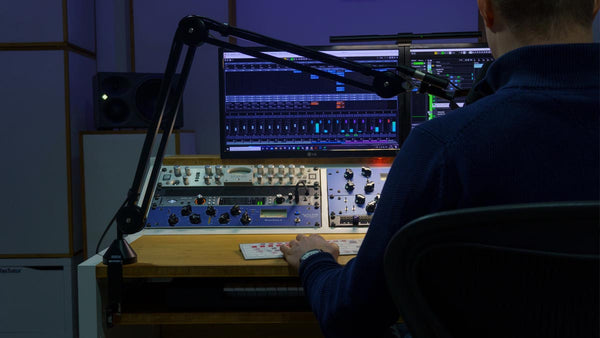
TasTutor is a pioneer when it comes to high-quality, German-language keyboard stickers. Alongside stickers for DAWs like Logic Pro, FL Studio, Cubase, Pro Tools, Ableton Live, and more, they also offer stickers for video editing software, games, different languages, and even stickers for kids.
All stickers are carefully produced in Germany and shipped by mail. Here’s a short video showing how they’re made:
How do you apply the DAW stickers?
Applying the stickers is super easy and takes no time at all. Thanks to the included template, you can position them accurately. If you clean your keyboard first, the stickers stick firmly, look great, and feel like a proper upgrade.


What’s the advantage of keyboard stickers compared to a dedicated DAW keyboard?
A DAW keyboard with printed shortcuts is significantly more expensive than stickers—DAW keyboards typically cost well over €100.
TasTutor’s DAW stickers, on the other hand, are currently available for just €17.99 in their online shop.
Another big plus: we can use the keyboard we’re already used to. And if you decide to switch DAWs later on? No problem—just remove the stickers and grab a new set.

Our conclusion on TasTutor’s keyboard stickers
The effort for this small but genuinely smart studio upgrade is minimal — and in our opinion, TasTutor’s DAW stickers are a real help in day-to-day studio work.
Sure, we also link DAW shortcut PDFs on our website, but let’s be honest: in real life, DAW stickers (or a Logickeyboard) are simply more practical than a manual.
Next up, we’re swapping the old stickers on our MIDI keyboard for TasTutor’s new piano stickers — then the upgrade will be complete.